There are two ways to edit item attributes: just for one case or for the entire database.
In the incident→ only the items in that case will be changed. If you pick the same option in another case, it won’t have those changes.
In the database → the items are changed at a global level for any case where you select it.
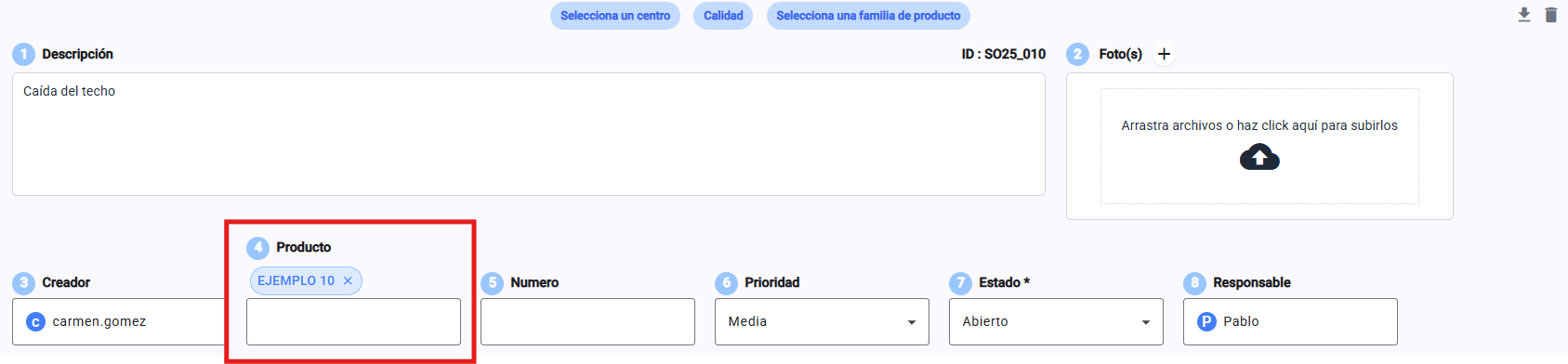
Go to the incident you've already created

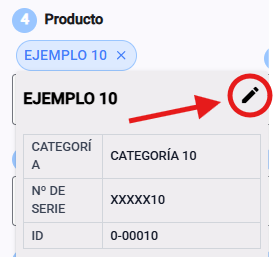
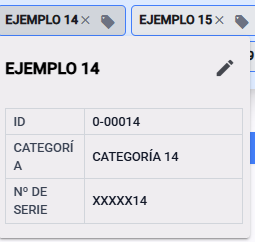
Tap on the selected item
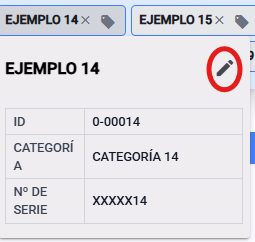
Pick the edit pencil at the top right
Edit the values you need
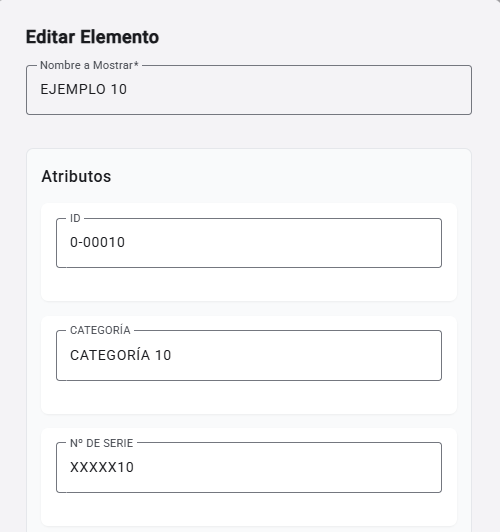
Save your changes
💡 These changes will only affect that specific incident and won't change the item in the main database.
Go to Databases dynamic options
From general settings

Or from the main view dropdown
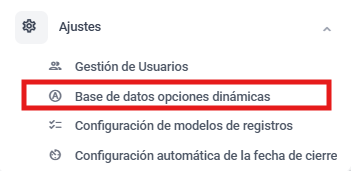
Open the dynamic options database module, item type

Unfold the database you want to edit

Find the option and click on it
Click on the pencil
Edit the fields you need to
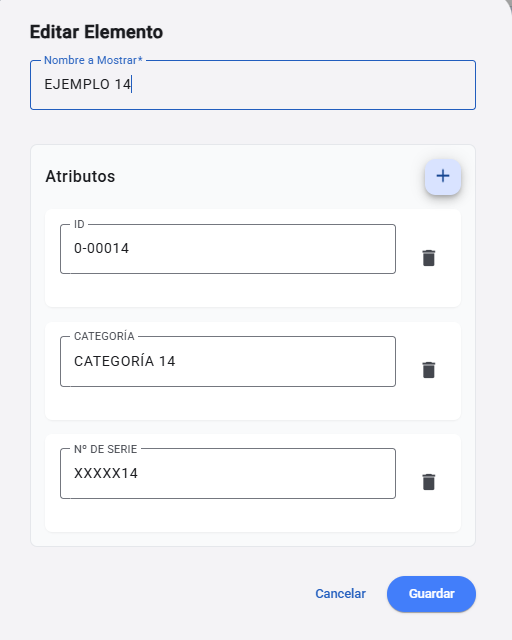
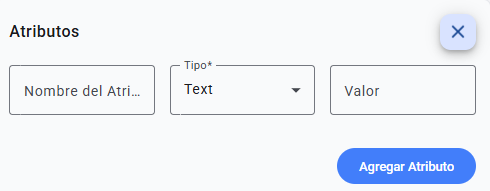
You can add new items too. Here’s where you’ll find all the detailed info
Save your changes
💡 This will update the attributes for every issue where that item is used, making sure your data stays consistent and coherent everywhere on the platform.