They are data sets created by each company within the platform.
Unlike fixed lists, dynamic options can be updated at any time, and the changes are automatically reflected in all records where they’re used.
🔁 Automatic update: any change in the database is immediately reflected in the associated records.
🧠 Information centralization: saves you from having to manually modify each template or record.
👥 Flexibility: you can create different types of databases depending on the type of information you need (text, users, or items).
🔒 Access control: databases can be visible or editable only for certain roles or departments, depending on the permissions set.
In the following articles you’ll learn how to create and set up each type:
Text: for custom lists with written information.
Users: to link people outside the company to incidents.
Items: to relate elements or products to each other.
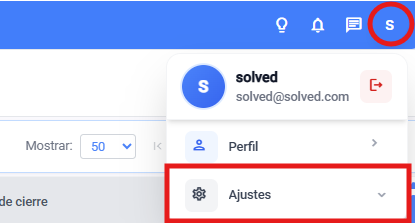
Go to settings
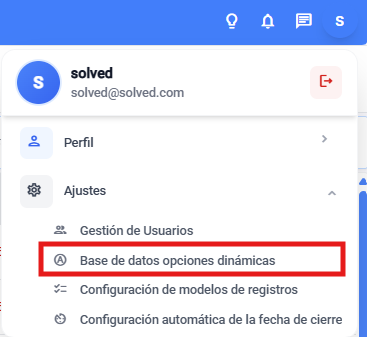
Go to the databases module
From the general settings

Or from the dropdown in the main view
Choose what type of database you want to view, edit, or create